
PNG @ ELMWOOD PARK PUBLIC LIBRARY
Tuesday, June 30, 2015
TinkerCAD - Day 3
Today was the 3rd day of TinkerCAD. At this point the students are TinkerCAD pros, so class was very quiet as they set about their work. Thursday will be the last day, so it's coming down to the wire for them to finish their masterpieces in time to have them 3D printed on our Makerbot Replicator at the end of the session.


Thursday, June 25, 2015
TinkerCAD - Day 2
Today was our second day of TinkerCAD. We learned the basics of how TinkerCAD works in our first class on Tuesday and now it's time for the students to be set loose and show us what they can do!
Half the battle was just figuring out what to design! We've got 2 more days to figure it out and fine tune our designs!


Half the battle was just figuring out what to design! We've got 2 more days to figure it out and fine tune our designs!


Tuesday, June 23, 2015
TinkerCad - Day 1
Today was the first day of PNG's 4-part Tinkercad class. We got started running everyone through the basic tutorials of how to use Tinkercad and getting them all familiar with the interface and how 3D design works.
In the next class each student will figure out what object they want to design in 3D and then spend the remaining classes making it as awesome as possible!
I can't wait to see what they do!


In the next class each student will figure out what object they want to design in 3D and then spend the remaining classes making it as awesome as possible!
I can't wait to see what they do!


Thursday, June 11, 2015
BristleBots!
Today we assembled BristleBots! Bristlebots are cool like "robots" that work using a simple battery and motor to skate around a flat surface on their own!
Thanks again to our friends over at EvilMadScientist.com for the instructions and inspiration!

Thanks again to our friends over at EvilMadScientist.com for the instructions and inspiration!

Tuesday, June 9, 2015
Hour of Code
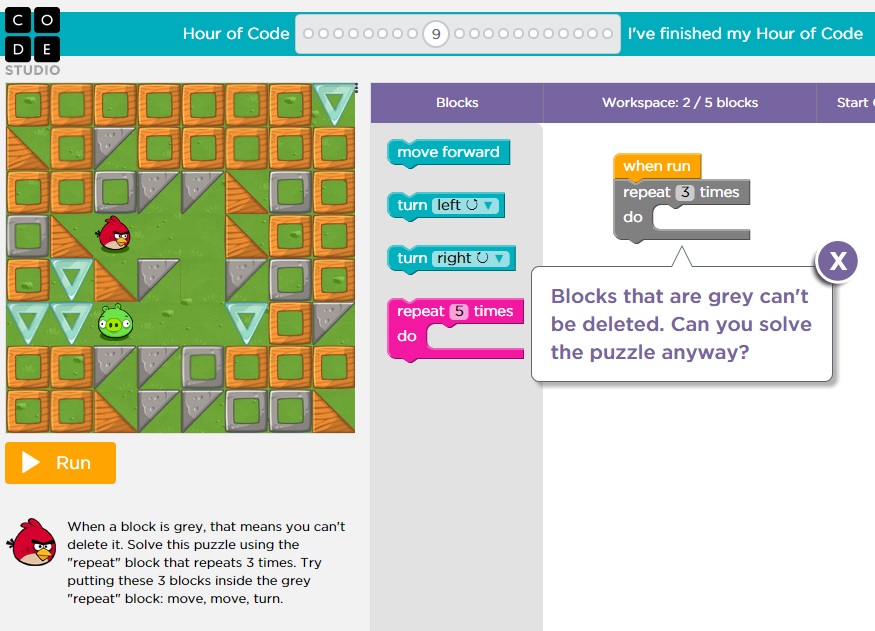
Today we did our (now monthly) Hour of Code. We had a great turnout with almost a full house which is awesome because we are going to try to turn this monthly Hour of Code activity into something more! This is a good place to start to get kids interested in coding and also working together to share their knowledge of coding.
Right off the bat we've got kids who have never coded and others who are pretty well-versed, so we want to get them working together and create a fun atmosphere where they can look forward to getting further into coding!
Coming up soon we'll have some robotics classes that will build on what we are learning here!
For today's activity, though, we started at the beginning with Code.org's Hour of Code activities. These simple "games" involving Angry Birds and Plants Vs. Zombies characters are not only fun, but they also teach the basics of how to code using a visual block style.


Right off the bat we've got kids who have never coded and others who are pretty well-versed, so we want to get them working together and create a fun atmosphere where they can look forward to getting further into coding!
Coming up soon we'll have some robotics classes that will build on what we are learning here!
For today's activity, though, we started at the beginning with Code.org's Hour of Code activities. These simple "games" involving Angry Birds and Plants Vs. Zombies characters are not only fun, but they also teach the basics of how to code using a visual block style.


Thursday, June 4, 2015
Photoshop - Day 2
Today was our second and final day of Photoshop! The kids picked it up super fast and made some pretty excellent!
We learned how to take a photo, import the photo onto the computer, then bring the photos into Photoshop. In Photoshop, we learned how to remove, isolate, scale and copy elements into a composite photograph.
Check out the results!


We learned how to take a photo, import the photo onto the computer, then bring the photos into Photoshop. In Photoshop, we learned how to remove, isolate, scale and copy elements into a composite photograph.
Check out the results!


Tuesday, June 2, 2015
Photoshop and Photography - Day 1
Today was our first day of Photoshop and Photography for Summer 2015!
We had a lot of fun today learning how to use old digital cameras and taking silly photos. Then we kicked it up a level and used Adobe Photoshop Elements to edit the photos and do all kinds of crazy things to them!


We had a lot of fun today learning how to use old digital cameras and taking silly photos. Then we kicked it up a level and used Adobe Photoshop Elements to edit the photos and do all kinds of crazy things to them!


Tuesday, May 26, 2015
PNG Summer 2015 Announcement

Let's use cameras to take digital photos and then edit those
photos in Photoshop! We'll teach you the basics of how to compose a
photograph and how to use Photoshop to edit your subject into all kinds of
crazy backgrounds and special effects!
PNG Hour of Code:
June 9 2pm - 3pm
Not only is coding massively important
to the fabric of your digital world, coding can also be pretty fun! Sign
up for this quick introduction to activities on Code.org and play fun games while learning
the fundamentals of basic coding!
PNG Bristlebots:
June 11 2pm - 3pm
What happens when you combine a
toothbrush, a tiny motor and an electric current? Bristle Bots!
Sign up to construct your very own Bristle Bot and then race them against
your classmates!
PNG TinkerCAD: June
23, 25, 30, July 2 2pm-3pm
Let's use the computer to create 3D models and then print
them out on the Makerbot Replicator! This 4-part class will teach you the
basics of 3D design and how to use Tinkercad.com to create 3D objects that can be printed on any 3D
printer!
PNG Robotics: July
7, 9, 14, 16 2pm - 3pm
The Finch is a new
robot for computer science education. Its design is the result of a four year
study at Carnegie Mellon's CREATE lab.
We're going to hook them up, figure them out and program them to do our
bidding!
PNG Hour of Code:
July 21 2pm - 3pm
Not only is coding massively important
to the fabric of your digital world, coding can also be pretty fun! Sign
up for this quick introduction to activities on Code.org and play fun games while learning
the fundamentals of basic coding!
MaKEY MaKEYMixcraft: Tuesdays & Thursdays, July 28th, 30th August 4th, 6th 2pm -3pm
Let's use Makey
Makey sensors to create our own beat machine out of stuff we have lying around
and then build a song around our creations!
PNG Reality TV
August 11, 13, 18 20 2pm - 3pm
We're going to film
our own episode of Iron Chef right here at the Elmwood Park Public
Library! Learn how to use cameras,
tripods, microphones and Adobe Premiere Elements to edit together a riveting
episode of reality TV!
PNG Hour of Code:
August 25 4pm - 5pm
Not only is coding massively important
to the fabric of your digital world, coding can also be pretty fun! Sign
up for this quick introduction to activities on Code.org and play fun games while learning
the fundamentals of basic coding!
Thursday, May 14, 2015
Superheroes Day 2
Phase two of our superheroes class involved using our heroes from the last lesson to create a silhouette on the Silhouette Cameo. The students worked with the Silhouette program and played and toggled with the controls that dictate negative and positive space to come up with their own unique superhero silhouette.

Tuesday, May 12, 2015
Superheroes Day 1
With all the superhero movies coming out this summer today's class revolved around creating our very own take of a superhero. We used three different types of comic creating websites and chose which one worked best for each person. The first step of this two day class will be to create our own superhero and then at our next class we will use this superhero to create a vinyl silhouette out of.


Thursday, April 30, 2015
TinkerCAD - Last Day Designs Complete!
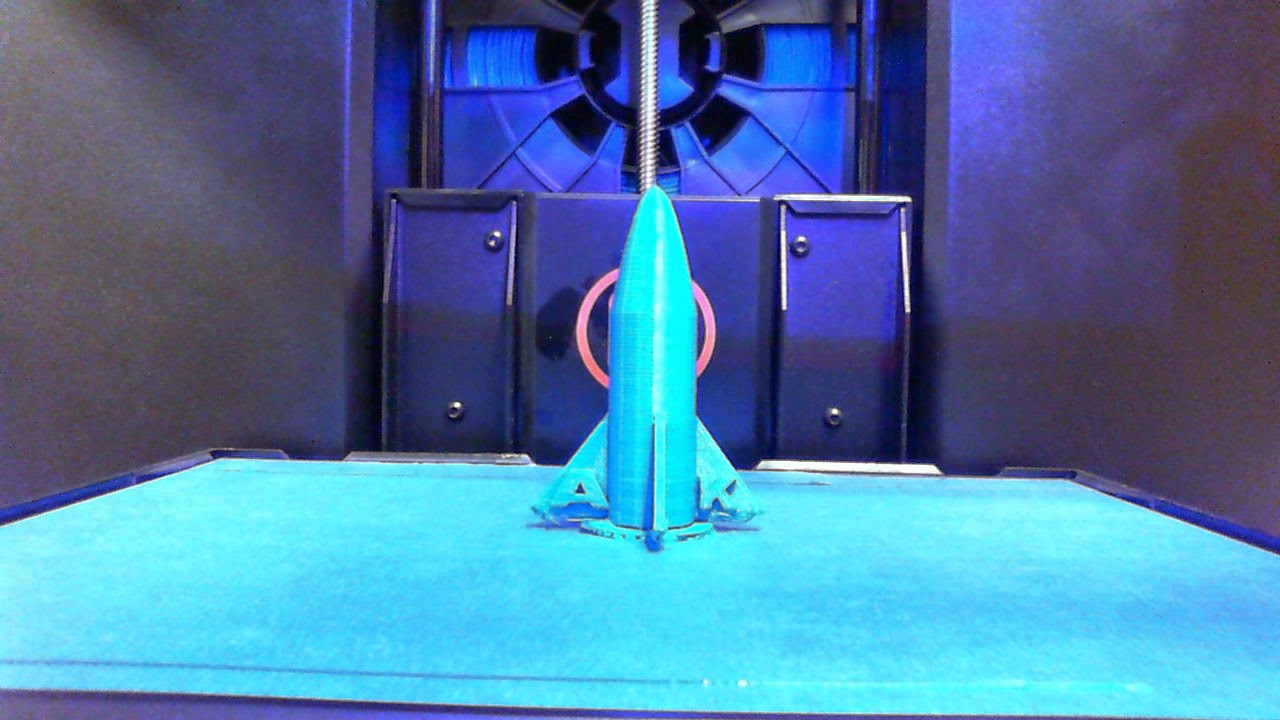
Today was our last day of PNG: TinkerCAD the students made some pretty impressive and detailed 3D models and now that all of the hard work is finished we're going to attempt to print them out on our Makerbot Replicator over the next couple of days!
Will they print out correctly? We'll post here with the results as soon as they finish.


Will they print out correctly? We'll post here with the results as soon as they finish.




Tuesday, April 28, 2015
Tinkercad Day 3 - Progress Marches On
We're working on our models. One more day to go. They are turning out really well!


Thursday, April 23, 2015
Tinkercad: Day 2
OK, we've gotten the lessons from the first class out of the way and the students have finished making simple shapes like hearts and stars.

Let's move on to something harder! Today the students were challenged to use the remaining 3 days to create something difficult!
Let's move on to something harder! Today the students were challenged to use the remaining 3 days to create something difficult!
Tuesday, April 21, 2015

Tuesday, March 31, 2015
Photoshop & Photography Day 3
Today was the last day of Photoshop & Photography and the kids are definitely Photoshop masters now!


Behold!
Thursday, March 26, 2015
Photoshop & Photography Day 2
Day 2 of Photoshop and Photography is in the can and wow did we make some cool stuff!
We learned how to use the Lasso tool in Photoshop to cut the subjects out of our photos and plop them into crazy backgrounds. There's definitely an art to this stuff!


We learned how to use the Lasso tool in Photoshop to cut the subjects out of our photos and plop them into crazy backgrounds. There's definitely an art to this stuff!
Tuesday, March 24, 2015
Photoshop & Photography
Today we started Photoshop & Photography by learning how to take cool pictures, taking cool pictures and then editing our cool pictures!
We'll be doing this class for the next week or so and we'll have lots of cool pics to post on this blog so stay tuned!

We'll be doing this class for the next week or so and we'll have lots of cool pics to post on this blog so stay tuned!
Friday, March 13, 2015
Teen Tech Week Day 5 - Open Lab
Today was our Open lab day and we spent the whole time playing with Makey Makey's!
Matt hooked his Makey Makey up to Minecraft and used it to successfully control his character!

Ahren hooked his Makey Makey up to Mixcraft and used it to play all of the virtual instruments!
Can't wait until next time!
Matt hooked his Makey Makey up to Minecraft and used it to successfully control his character!
Ahren hooked his Makey Makey up to Mixcraft and used it to play all of the virtual instruments!
Can't wait until next time!
Thursday, March 12, 2015
Teen Tech Week Day 4 - Photoshop Facepaint
Today we did a tried and true PNG staple: Photoshop Facepaint!
The kids started out with selfies (or grabbing images off the web) and printed them out, then traced over them and scanned the tracing. Once the scans were digitized they pulled them into Photoshop and re-colorized them. The results are pretty cool!


The kids started out with selfies (or grabbing images off the web) and printed them out, then traced over them and scanned the tracing. Once the scans were digitized they pulled them into Photoshop and re-colorized them. The results are pretty cool!
Subscribe to:
Posts (Atom)